Xero UAE Setup Guide: How to Configure Xero Properly in 2026
Introduction
Setting up Xero for a UAE business is more than choosing AED and importing a bank statement. A clean setup should reflect the legal entity, VAT position, financial year, chart of accounts, bank accounts, invoice requirements and the way the business will eventually prepare VAT and eInvoicing data. Doing this properly at the start prevents the same coding mistake from repeating across hundreds of transactions.
Xero is currently listed by the UAE Federal Tax Authority as accredited tax accounting software, with Xero version 2026 shown as valid until March 2027. If you are still deciding whether Xero is the right platform, read Maaliya's complete guide to Xero in the UAE first. This guide assumes you have chosen Xero and focuses on configuring it correctly.
Business & Tax Position
Confirm the business and tax position before touching Xero
Start with the facts that should drive the accounting setup: the legal business name, trade licence details, registered address, financial year end, base currency, VAT registration status, VAT effective date and Tax Registration Number (TRN), if registered.
For UAE-resident businesses, VAT registration is mandatory when taxable supplies and imports exceed AED 375,000 over the previous 12 months or are expected to exceed that threshold in the next 30 days. Voluntary registration may generally be available from AED 187,500, subject to the applicable conditions. Do not switch on a VAT workflow merely because the company operates in the UAE; configure it around the business's actual FTA registration position.
Keep the VAT effective date from the FTA registration certificate available during setup. Transactions before and after that date may require different treatment, particularly when migrating an existing business.
Organisation & Core Settings
Create the organisation and complete the core settings
In Xero, review Organisation details and Financial settings before importing live data. Xero's own setup guidance says the financial settings are where you review items such as the financial year end, sales-tax details and transaction tax defaults.
- Enter the legal entity name and business address exactly as you want them used in accounting records and invoices.
- Use AED as the base currency for most UAE entities unless the business has a valid accounting reason to use another functional currency.
- Set the correct financial year end so management reporting, tax work and year-end adjustments line up with the company's reporting period.
- Add the TRN and tax details only if the business is VAT registered.
If the business trades internationally, check the Xero plan before building a multi-currency workflow. Xero's UAE pricing currently includes multi-currency on Premium, and Xero states that its multi-currency functionality supports more than 160 currencies.
Chart of Accounts
Build a UAE-friendly chart of accounts
Xero assigns a standard chart of accounts when an organisation is created, but a UAE SME should review it rather than accept it blindly. The chart should make month-end reporting and tax review easier without becoming so detailed that staff cannot use it consistently.
A practical service-business chart may separate revenue streams, direct costs, payroll, professional fees, rent, software, bank charges, owner or shareholder balances, payment-gateway clearing accounts, fixed assets and major liability categories. Businesses with related parties should also avoid mixing shareholder or group-company transactions into normal customer and supplier accounts.
The objective is not to create a special account for every possible VAT treatment. The objective is to make account coding understandable while using Xero's tax-rate functionality correctly at transaction level.
VAT Codes
Configure UAE VAT codes carefully
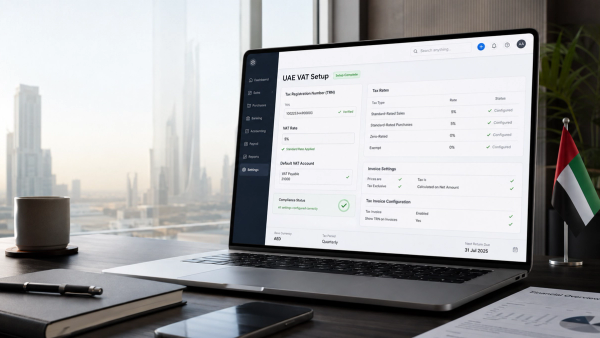
The standard UAE VAT rate is 5%, but a usable Xero setup needs more than a generic 5% code. Depending on the business, transactions may be standard-rated, zero-rated, exempt, outside the scope of UAE VAT, imports or subject to reverse charge. Maaliya's step-by-step Xero VAT setup guide explains the tax-code logic in more depth.
Do not treat zero-rated, exempt and out-of-scope as interchangeable merely because each can produce AED 0 of VAT on a line. They have different legal and reporting implications. Likewise, a supplier charging 5% does not automatically mean all of that input VAT is recoverable.
Xero's dedicated UAE VAT-return solution is still described by Xero as coming soon. Xero says the planned functionality will map financial information to FTA-ready VAT returns, provide guided workflows reflecting EmaraTax, generate the FTA Audit File and produce a pre-populated upload template. Until those features are live, correct transaction coding and independent VAT review remain essential.
Maaliya's free VAT Health Checker reviews your transaction-level VAT treatment so errors are caught before they reach a return.
Check VAT Health NowBank Feeds
Add bank accounts and test the actual feed
Add each business bank and credit-card account separately. Xero recommends searching for the bank during account setup to see whether a direct feed is available and applying for the feed early where possible.
For the UAE, Xero specifically promotes connections with Wio Bank and Alaan, while other feeds may be available through integrated providers. Do not assume that every UAE bank, account type or currency has the same feed coverage. Test the exact corporate account you intend to use.
Where no usable feed exists, Xero supports manual statement imports in formats including OFX, QFX, QIF and CSV. Xero recommends OFX where available. For UAE organisations, PDF statements are not generally a native Xero import route, so a conversion step may be needed. Maaliya's Bank Statement Parser can help turn PDF statements into structured data for a reconciliation workflow.
Migration & Opening Balances
Choose a clean conversion date and migrate opening balances
If you are moving from spreadsheets or another accounting system, decide the date from which Xero becomes the system of record. Xero's setup guidance says the conversion date must be the first day of a month and recommends aligning it with the start of a sales-tax period.
Use the closing trial balance from the day before the conversion date to enter opening balances. At minimum, reconcile cash and bank accounts, accounts receivable, accounts payable, fixed assets, loans, shareholder balances and VAT balances.
For accounts receivable and accounts payable, Xero expects the conversion balances to be supported by the outstanding invoices and bills that make up those balances. This matters because simply posting one lump-sum debtor or creditor number can leave the aged receivables and payables reports unusable.
Avoid duplicating VAT during migration
If VAT on old invoices or bills has already been reported in a previous VAT return, do not accidentally recreate that VAT as if it were newly arising in Xero. Reconcile the old system's VAT control balance to the latest filed return, subsequent payments or refunds, and the opening Xero balance. Migrating at the start of a VAT period can make this substantially easier.
Tax Invoices
Configure UAE tax invoices before sending the first one
The accounting entry and the customer-facing invoice are separate controls. A transaction can be posted correctly in Xero while the PDF invoice still omits important UAE information.
Review the invoice branding theme and test the actual PDF output. For a VAT-registered supplier, make sure the legal name, address and TRN are shown correctly, invoice numbering is sequential, dates are correct, VAT is presented appropriately and foreign-currency invoices include the UAE-dirham information required by the applicable VAT rules.
Create at least two test invoices before going live: one ordinary domestic AED invoice and, if relevant, one invoice for a VAT-registered customer or in a foreign currency. Review the exported PDF, not just the Xero data-entry screen.
Users & Month-End Controls
Set up users, permissions and month-end controls
Give users only the access they need and keep sensitive finance functions limited to appropriate staff. The bigger control, however, is procedural: decide who creates contacts, who can change tax rates or account codes, who approves bills, who reconciles banks and who reviews the month-end close.
A simple monthly close should include bank and credit-card reconciliation, aged receivables and payables review, VAT control reconciliation, review of unusual journals, supporting-document checks, and a lock date once the period is approved.
eInvoicing Readiness
Prepare the Xero setup for UAE eInvoicing
UAE eInvoicing is now a practical setup consideration, not a distant project. The Ministry of Finance states that structured eInvoices are exchanged through Accredited Service Providers over the UAE's Peppol-based model. PDF, Word, scanned and emailed invoices are not themselves eInvoices.
For businesses with annual revenue of AED 50 million or more, the current deadline to appoint an Accredited Service Provider is 30 October 2026, while mandatory implementation remains 1 January 2027. Businesses below AED 50 million must appoint a provider by 31 March 2027 and implement by 1 July 2027.
Xero says its UAE eInvoicing capability is coming soon and that it is working toward the Accredited Service Provider requirements. Because that capability is still evolving, keep customer and supplier master data clean now: legal names, tax identifiers, addresses, invoice fields and credit-note workflows will matter when structured eInvoices replace informal PDF-only processes.
Test Before Go-Live
Test the full workflow before live bookkeeping
Before the first live month, post a small test pack that reflects the business's real activity. Include a domestic sale, domestic purchase, bank payment, customer receipt, expense, zero-rated or exempt transaction if applicable, a foreign-currency item if used, and a reverse-charge example if relevant to the business.
Then run the profit and loss, balance sheet, aged receivables, aged payables, bank reconciliation and sales-tax reports. Ask whether each balance can be explained and traced back to a source document. If not, fix the setup before transaction volume grows.
- Treat Xero setup as an accounting-design exercise, not just a software onboarding checklist.
- Confirm the UAE entity's VAT position, TRN and effective date before creating tax defaults.
- Review the chart of accounts and tax codes before importing large volumes of transactions.
- Test the actual UAE bank account rather than assuming a direct Xero feed is available.
- Reconcile conversion balances carefully so old VAT, receivables and payables are not duplicated.
- Prepare master data and invoice workflows now for the UAE's phased eInvoicing mandate.
Frequently Asked Questions
Yes. Xero is currently listed by the UAE Federal Tax Authority as accredited tax accounting software. It can be used as the accounting ledger for UAE businesses, provided the organisation, tax and reporting setup is configured correctly.
Not end to end today. Xero can calculate tax using the rates applied to transactions, but Xero says its dedicated UAE VAT-return workflow is still coming soon. The business remains responsible for correct tax treatment and filing.
Xero requires the conversion date to be the first day of a month and recommends aligning it with the start of a sales-tax period. For a VAT-registered UAE business, the start of a VAT period can reduce reconciliation complexity.
Xero's general manual-import guidance supports OFX, QFX, QIF and CSV, while PDF import is restricted to certain country editions. UAE businesses should usually obtain an export from online banking or convert the PDF into a supported structured format before import.
Xero says its UAE eInvoicing functionality is coming soon and that it is working toward the Accredited Service Provider requirements. Businesses should track the Ministry of Finance's current provider and implementation requirements rather than assuming future software capability.
Once Xero is configured, the next risk is whether the live data is being coded consistently. Maaliya's Bank Statement Parser turns PDF bank statements into structured data so your Xero file is easier to reconcile and review.
Parse your bank statements now!Related Maaliya content

Sources & Disclaimer
Sources
- Federal Tax Authority, Tax Accounting Software Vendors (page updated 19 May 2026; accessed 20 August 2026).
- Federal Tax Authority, Value Added Tax (VAT) Registration (accessed 20 August 2026).
- Ministry of Finance, eInvoicing (accessed 20 August 2026).
- Ministry of Finance, Targeted amendments to eInvoicing system decisions (published 10 May 2026; accessed 20 August 2026).
- Xero, eInvoicing and VAT Software for the UAE (accessed 20 August 2026).
- Xero Central, Set up a Xero organisation for a client (accessed 20 August 2026).
- Xero Central, About manually importing bank statements (accessed 20 August 2026).
This article is for general information only and does not constitute tax, accounting or legal advice. UAE tax treatment can depend on the specific facts of a transaction or business.
Like what you read? Add Maaliya as a preferred source on Google.
Built for the UAE.