Maaliya drives your Xero.
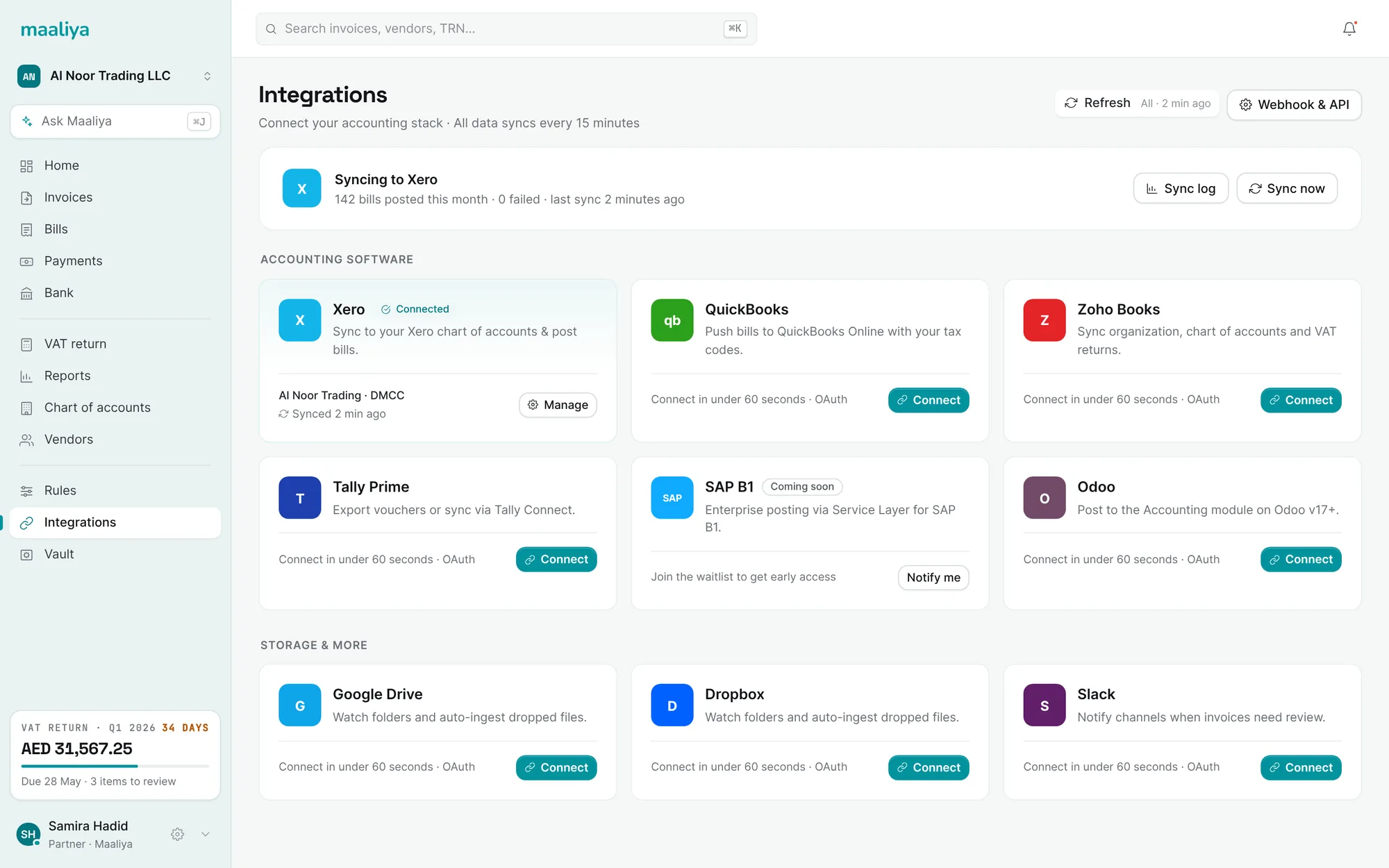
Connect once and Maaliya does the work inside your Xero organisation: it pulls your accounts, contacts and bank feeds, and posts bills, invoices and payments back, coded and reconciled. Your team works in Maaliya. Xero stays your ledger of record.
Growth and Scale plans include your Xero subscription.
Everything Xero holds, in both directions.
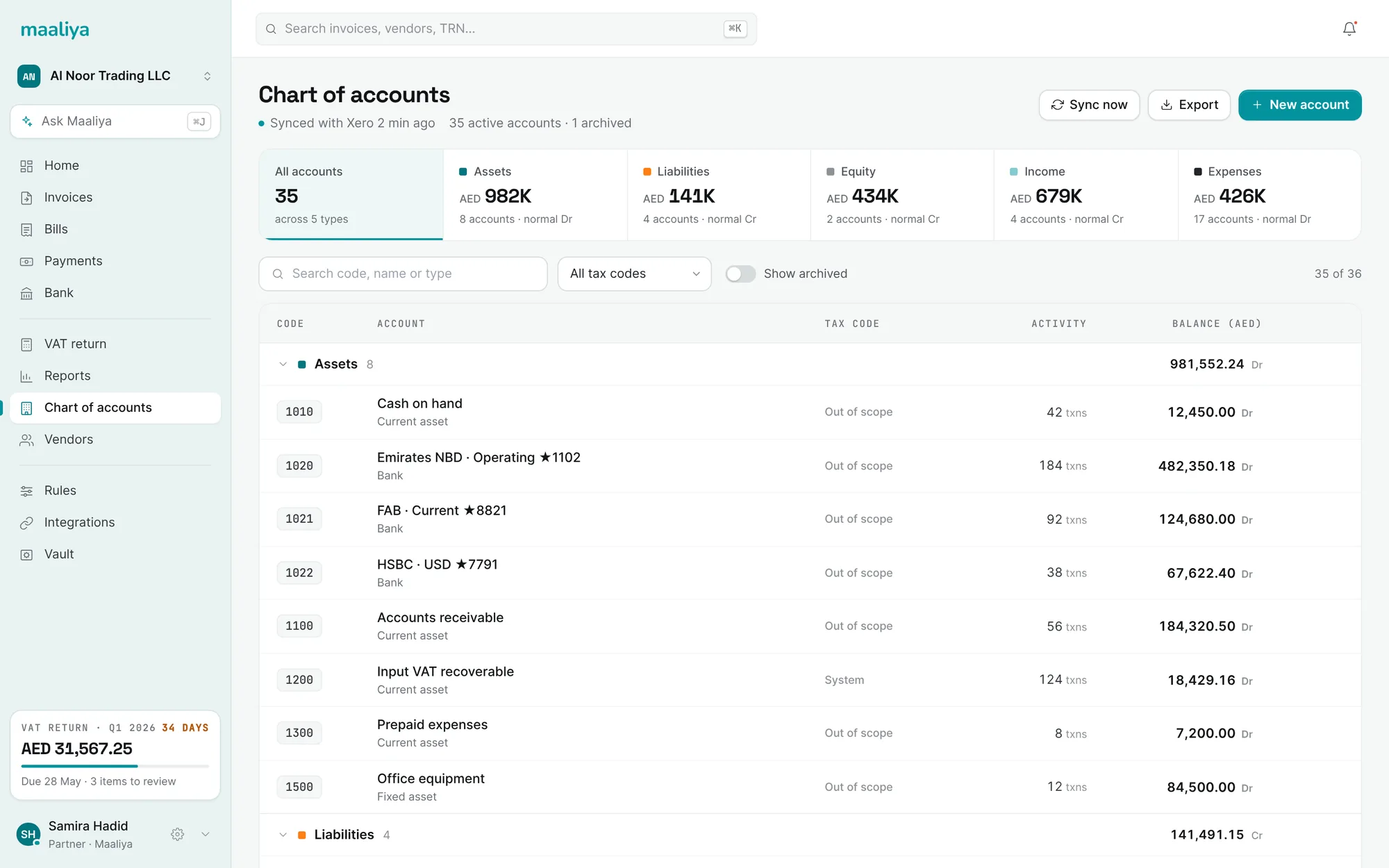
Almost everything moves both ways. Maaliya reads your Xero setup and history, and writes back accounts, tax rates, transactions and finished, balanced entries.
Same Xero. Far less of your time in it.
Xero stays your ledger. What changes is who does the data entry.
- Collect receipts from email, WhatsApp and desks
- Type each bill into Xero line by line
- Pick the account and VAT rate yourself
- Attach the receipt by hand
- Spot TRN and VAT errors at quarter end
- Match payments to bills one at a time
- Bills arrive in one inbox from every channel
- Lulu reads and enters every line
- Account and VAT code suggested, learned from you
- Receipt attached automatically
- TRN and VAT problems flagged on arrival
- Payments matched and reconciled for you
Your team works in Maaliya. Your accountant keeps Xero.
Capture, coding, checks, reminders and reconciliation all happen in Maaliya. Xero receives clean, finished entries, so your books in Xero are always current and your accountant can keep working the way they do today.
- No double entry and no manual exports
- Accounts and VAT codes always match your Xero setup
- Xero reports reflect Maaliya activity within minutes
Every sync accounted for.
Every entry Maaliya sends to Xero is checked before it goes, logged when it lands, and never sent twice. If Xero rejects something, you see why and can fix it in one place.
- Balanced entries only, with duplicate protection
- Full sync log with retry for anything that fails
- Secure Xero sign-in · disconnect at any time
We'd used Xero for six years and it was always a day behind. Now bills are in Xero, coded and attached, before our accountant even logs in. She still works in Xero exactly as before, just with nothing left to type.
Already using a receipt app with Xero?
Switching takes an afternoon. Maaliya connects to the same Xero organisation, so nothing in your ledger moves, and it picks up your history so coding is accurate from the first week.
- Your Xero data
- Stays exactly where it is. Maaliya connects to the same organisation.
- Past bills and invoices
- Pulled in from Xero, so Lulu learns your suppliers and accounts from day one.
- Your inbox address
- Point your forwarding rule at your Maaliya address. Suppliers don't need to change anything.
- Your old app
- Run both side by side for a month, then switch it off when you're ready.
Your Xero subscription, included.
Growth and Scale plans include your Xero subscription, so you don't pay for Xero separately. Free and Starter plans connect to the Xero account you already have.
Compare all plans →Connected in about two minutes.
Nothing to migrate. Your Xero data stays where it is.
Sign in with Xero
Authorise Maaliya from your Xero account and choose the organisation.
Maaliya imports your setup
Chart of accounts, tax rates, contacts and tracking categories come across.
Start posting
Send your first bills and invoices. They appear in Xero, coded and attached.
Will Maaliya change anything already in my Xero?
No. Connecting only reads your existing setup and history. Maaliya writes to Xero when you approve a bill, send an invoice, reconcile a payment or create an account, and every change is listed in the sync log.
Can I undo something Maaliya posted?
Yes. Void or edit any entry from Maaliya and the change syncs to Xero, or adjust it directly in Xero as you normally would. Maaliya picks up changes made in Xero.
What access does Maaliya need?
You sign in with Xero and choose the organisation. Maaliya asks for access to accounting data, contacts, bank transactions and attachments, the minimum it needs to read and post entries. You can disconnect from Maaliya or from Xero at any time.
Will it clash with my bank feeds and bank rules?
No. Maaliya works alongside your Xero bank feeds and matches payments against them, so your existing feeds keep running.
What if I stop using Maaliya?
Everything Maaliya posted stays in Xero, with receipts attached. Your ledger is complete and yours, whether or not you keep Maaliya.
Can my accountant keep using Xero?
Yes. Your accountant keeps working in Xero as usual. Maaliya just makes sure the entries are already there.
Keep Xero. Let Maaliya do the work. See how a bill moves through Maaliya →