How Maaliya Works With Xero: Integration Guide for UAE Businesses
Overview
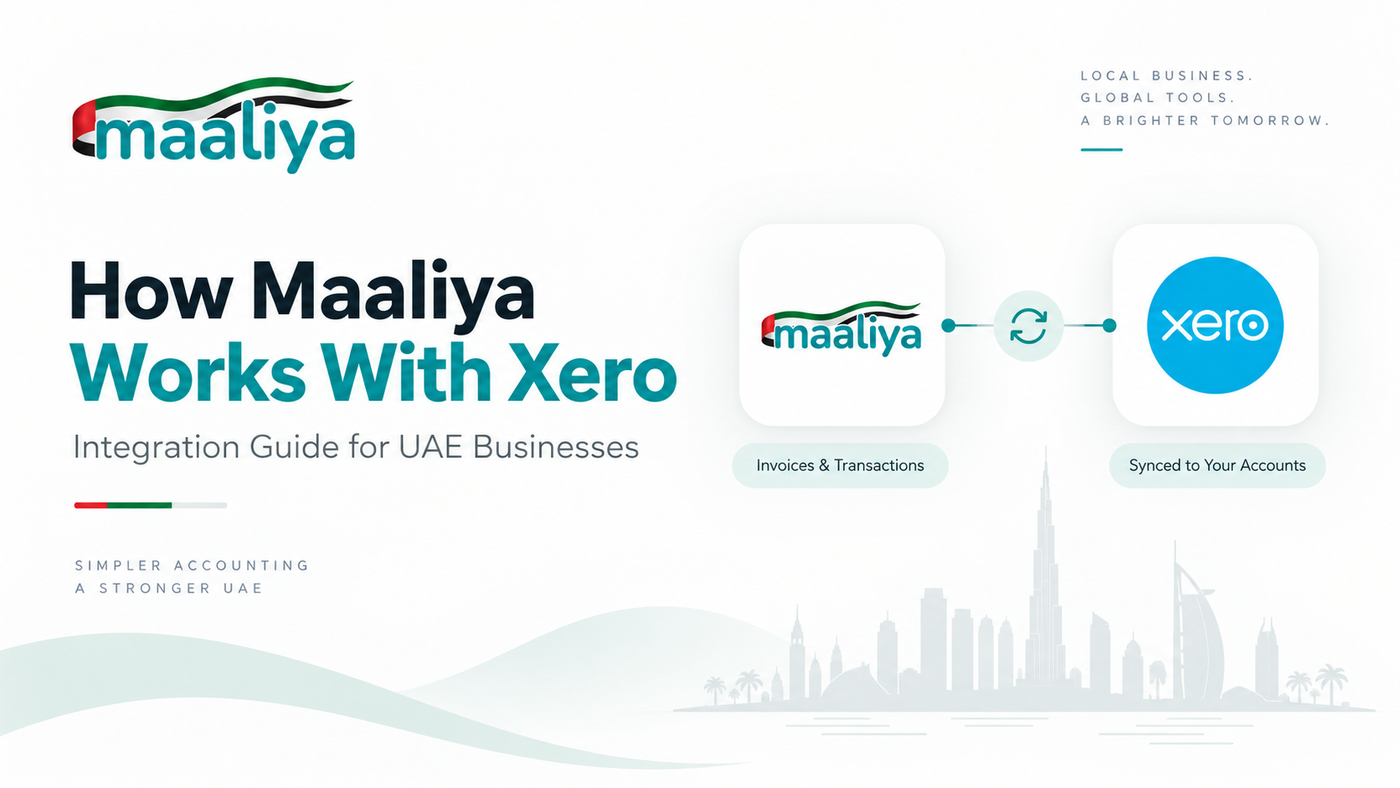
Maaliya works alongside Xero as an automation layer around your accounting ledger. Xero remains the place where your chart of accounts, invoices, bills, bank transactions, reporting and accounting records live. Maaliya focuses on the work that often happens before and around Xero: collecting documents, extracting data, processing bank statements, suggesting bookkeeping treatment, reviewing exceptions and sending approved accounting entries into Xero.
The practical idea is simple. Instead of replacing Xero with another ERP, Maaliya aims to reduce the amount of manual finance work needed to keep Xero accurate and up to date.
In this guide:
- What does the Maaliya-Xero data flow look like?
- How does Maaliya connect to Xero?
- What does Maaliya add if Xero already does accounting?
- What stays in Xero?
- What are the limitations?
- Where does UAE eInvoicing fit?
- Who is the integration for?
- Frequently Asked Questions
- Use Maaliya for the work around Xero
- Related Maaliya Content
What does the Maaliya-Xero data flow look like?
A typical workflow starts outside Xero. A supplier sends a bill, an employee uploads a receipt, or a finance team receives a bank statement. Maaliya captures that source data, converts it into structured fields, applies bookkeeping rules and presents the result for approval where required. Once approved, the relevant transaction can be sent to Xero instead of being typed in manually.
In practical terms, the flow looks like this: source document or bank data, then extraction and normalisation, then accounting and VAT coding, then review or exception handling, then an approved transaction, then Xero, then reconciliation and reporting.
Example: a UAE supplier bill
Suppose a UAE business receives a supplier invoice for AED 1,050, including AED 50 VAT. Instead of manually creating the bill, the document can enter Maaliya through an upload or document workflow. Maaliya can extract the supplier, invoice date, invoice number, subtotal, VAT and total, then suggest an account and VAT treatment. A reviewer can confirm or correct the suggestion before the approved bill is sent to Xero, with the source document retained.
That review step matters. Xero's own developer guidance warns that tax defaults through the API are limited and that applying the wrong tax rate can create compliance problems. Automation should accelerate routine coding, not pretend that every UAE VAT decision is deterministic.
How does Maaliya connect to Xero?
Xero uses OAuth 2.0 for third-party application access. OAuth lets an application access an authorised Xero organisation without receiving the user's Xero password. Xero's developer documentation explains that the user grants specific permission scopes and the application receives an access token after approval. See Xero's OAuth 2.0 documentation for the underlying authorisation model.
Once a Xero organisation is connected and the appropriate permissions are granted, integrations can use Xero's Accounting API to work with accounting data. Xero documents API functions for invoices and purchase bills, contacts, bank transactions, accounts, credit notes, attachments, journals and other accounting objects.
For example, Xero's Invoices API supports creating sales invoices and purchase bills, updating eligible transactions, attaching files and retrieving invoice information. This is the type of interface an integration uses to move approved structured accounting data into Xero, rather than relying on screen scraping or password sharing.
Maaliya applies UAE-aware bookkeeping logic to your documents and bank statements, reconciles transactions, and pushes clean, approved entries into Xero.
Parse your bank statements now!What does Maaliya add if Xero already does accounting?
Xero is the accounting system. Maaliya's role is to reduce the operational work required to feed that system. The distinction matters because a business does not necessarily need another general ledger; it may need a better process for turning messy real-world finance inputs into clean accounting data.
1. Document capture and bookkeeping workflow
Bills and receipts rarely arrive as neat accounting entries. They arrive as PDFs, photos, forwarded emails and attachments. Maaliya is designed to extract the useful fields, suggest coding and keep the source document tied to the accounting workflow. Xero also supports attachments on invoices, bank transactions and other accounting objects through its API, so the source-document trail does not need to end when an entry reaches Xero.
2. Bank statement processing
A direct bank feed is ideal when it is available and reliable, but UAE finance teams still encounter banks, accounts and statement formats that require manual imports or PDF processing. Maaliya's bank-statement workflow is intended to turn those statements into structured transaction data so the downstream reconciliation process is less manual.
3. UAE-aware review before posting
Automation is useful only if the accounting treatment is reliable. UAE transactions can involve standard-rated, zero-rated, exempt, outside-scope and reverse-charge VAT treatments, and recoverability can depend on the facts. Maaliya's intended workflow is therefore confidence-based: automate routine cases, surface uncertain cases, and let a human approve exceptions before they become ledger entries.
4. A workspace around the ledger
The longer-term value is workflow orchestration: documents, payment preparation, reconciliation, VAT controls and finance tasks can sit in one operating layer while Xero remains the accounting record underneath. This avoids forcing a finance team to replace a familiar ledger simply to improve its operational workflow.
What stays in Xero?
Connecting Maaliya does not mean duplicating the whole accounting system. Your Xero organisation remains responsible for the ledger structure and accounting records. Xero also now has substantially more UAE-native functionality than it did previously: its UAE VAT solution maps accounting data to VAT201 fields, and UAE eInvoicing is available through Xero for Starter, Standard and Premium customers.
That makes Maaliya's positioning narrower, not weaker. The goal is not to recreate features Xero already handles well; it is to automate the messy inputs, review process and finance operations around them. Read our Xero automation tools guide for a workflow-by-workflow view of what Xero can already automate.
What are the limitations?
First, not every accounting decision should be auto-posted. Unusual VAT treatment, accruals, prepayments, cut-off decisions, related-party transactions and ambiguous expenses may require professional judgement. Maaliya should reduce review volume, not remove accountability.
Second, an integration operates within Xero's API permissions and technical limits. Xero currently documents per-tenant concurrency and minute limits, plus daily limits that vary by developer tier, so efficient integrations need batching, pagination and incremental synchronisation rather than repeatedly downloading an entire organisation.
Third, Maaliya does not make bad source data correct. If an invoice is illegible, a bank statement is incomplete, or the underlying transaction lacks enough context to determine its accounting treatment, the correct outcome may be to ask for review rather than guess.
Where does UAE eInvoicing fit?
UAE eInvoicing is now available through Xero on Starter, Standard and Premium plans. Xero says its setup uses its Invoici platform and a UAE Accredited Service Provider selected through EmaraTax. This means a Maaliya-Xero workflow should not treat eInvoicing as simply generating and emailing a PDF; structured eInvoices are exchanged between systems through the mandated network. See Xero's current UAE eInvoicing page for the live product status.
Who is the integration for?
The strongest fit is a UAE SME or startup that likes Xero as its accounting ledger but still spends too much time getting information into it: collecting bills, coding transactions, converting statements, reviewing VAT treatment and reconciling accounts. It is also useful for finance teams and accounting firms that want a repeatable review workflow rather than uncontrolled spreadsheet handoffs.
If you are still deciding whether Xero itself is the right ledger, start with Is Xero Suitable for UAE Businesses? before adding an automation layer.
Frequently Asked Questions
No. The intended integration keeps Xero as the accounting ledger and uses Maaliya to automate finance operations around it, including document processing, bookkeeping workflow, bank-statement processing and reconciliation.
No. Xero's third-party application model uses OAuth 2.0, so the user authorises specified access to a Xero organisation rather than giving the application their Xero password.
Usually not. Routine, high-confidence transactions may support more automation, while exceptions such as new suppliers, missing VAT details, unusual amounts or uncertain coding should be reviewed before posting.
Yes, that is one of the intended use cases. Maaliya's bank-statement workflow is designed to extract and normalise statement data so it can enter the bookkeeping and reconciliation process without relying entirely on a direct bank feed.
Use Maaliya for the work around Xero
If Xero already works as your ledger but your team still spends hours collecting documents, processing bank statements, coding transactions and clearing reconciliation queues, that is the problem Maaliya is being built to solve. The objective is a controlled pipeline from source document to reviewed accounting entry, with Xero continuing to hold the books.
Book a free consultation to see how Maaliya's bookkeeping, bank-statement and reconciliation workflows fit into your Xero setup.
Book a free consultation today!Related Maaliya Content

Sources
- Xero Developer: OAuth 2.0 overview (accessed 19 September 2026).
- Xero Developer: Accounting API overview (accessed 19 September 2026).
- Xero Developer: Tax and the Xero API (accessed 19 September 2026).
- Xero AE: UAE VAT returns (accessed 19 September 2026).
- Xero AE: UAE eInvoicing software (accessed 19 September 2026).
- Xero Developer: API limits (accessed 19 September 2026).
Like what you read? Add Maaliya as a preferred source on Google.
Built for the UAE.