Xero Invoice Templates UAE: How to Create a Compliant Template in 2026
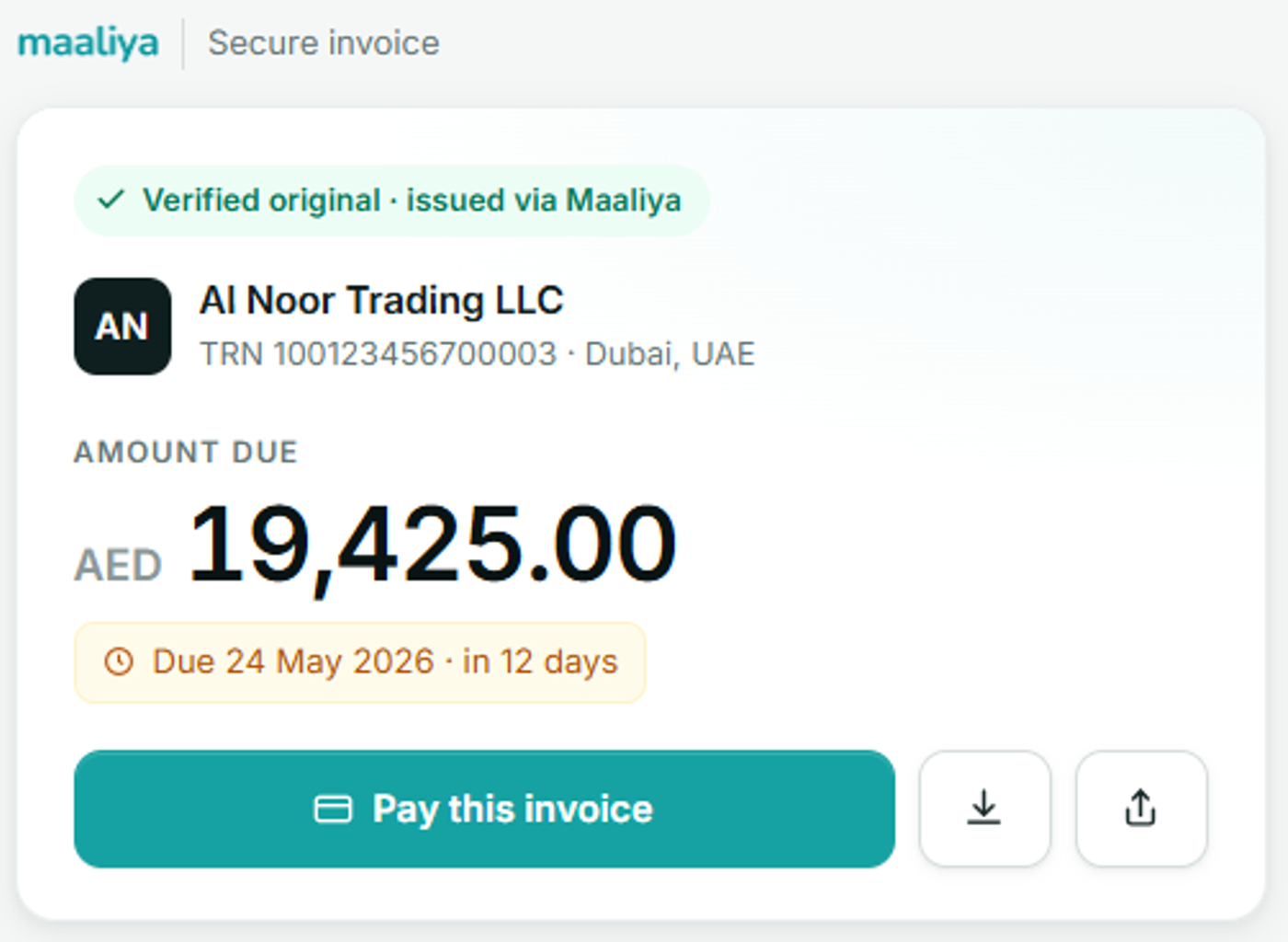
- Clearly display "Tax Invoice" on the document when it is a UAE tax invoice.
- Show your legal business name, address, and UAE Tax Registration Number (TRN).
- Capture the customer's required details, including their TRN when the recipient is VAT-registered and a full tax invoice requires it.
- Keep invoice numbers unique and either sequential or otherwise able to identify the invoice's place in the sequence.
- Include the issue date, plus the date of supply whenever it differs from the invoice date.
- Make descriptions, quantities, prices, VAT rates, and VAT amounts easy to read.
- Show the AED amounts UAE VAT rules require when you invoice in another currency.
Overview
Xero invoice templates work for UAE businesses, but the template needs to be configured around UAE VAT requirements rather than treated as a purely visual document. Xero calls its standard invoice templates branding themes, and businesses that need more layout control can use custom DOCX templates instead.
In this guide:
- What a UAE Tax Invoice Template Must Include
- How to Customise a Xero Invoice Template for the UAE
- Example: What a UAE VAT Invoice Should Show
- Full Tax Invoice vs Simplified Tax Invoice
- Invoice Requirements at a Glance
- Foreign-Currency Invoices Need Extra Attention
- Common Xero Invoice-Template Mistakes in the UAE
- A Xero PDF Is Not the Same as a UAE eInvoice
- A Practical Template Review Before You Send Invoices
- Frequently Asked Questions
- Check the Invoice, Not Just the Template
- Related Maaliya Guides
- Sources
What a UAE Tax Invoice Template Must Include
For a VAT-registered business issuing a full tax invoice, Article 59 of the UAE VAT Executive Regulation sets out the required particulars. The Federal Tax Authority's VAT Executive Regulation calls for the words "Tax Invoice"; the supplier's name, address and TRN; the recipient's name, address and TRN where the recipient is registered; a sequential or otherwise unique invoice number; the issue date; the date of supply if different; and a description of the goods or services.
The full-invoice rules also require transaction-level pricing and tax information, including unit price, quantity or volume, tax rate, and amounts expressed as the regulation requires. Your Xero template should leave enough room for this tax information rather than prioritising branding over invoice detail; the checklist above summarises these requirements at a glance.
Generate a UAE-ready tax invoice with the required TRN, VAT and invoice details already in place.
Create VAT Invoice Now!How to Customise a Xero Invoice Template for the UAE
Xero lets you create different invoice templates called branding themes. According to Xero's invoicing guidance, branding themes can be used for different jobs or customers and can include your logo and payment instructions.
1. Start with your organisation and VAT details
Before changing colours or logos, make sure the underlying organisation and customer records are correct. A polished template cannot make up for the wrong legal name, address, or TRN being pulled into the invoice.
For the wider setup process, see our guides on Xero Organisation Settings for UAE Businesses and Setting Up Xero for UAE VAT.
2. Create or edit a branding theme
Use Xero's invoice settings to create a branding theme for the business or for a particular customer group. Configure the logo, contact details, payment terms, and other presentation options, then preview a real invoice before using the theme routinely.
3. Use a custom DOCX template when the standard layout is not enough
A custom DOCX template gives you more control over layout and static wording. This is useful when your UAE business needs a specific corporate format, additional payment instructions, or carefully positioned VAT labels. Keep Xero's merge fields intact so transaction data continues to populate correctly.
4. Test the template with realistic transactions
Do not validate a template using only a one-line domestic invoice. Test a VAT-registered customer, multiple line items, discounts or credit adjustments where relevant, long descriptions, and a foreign-currency invoice if your business issues them. Check the PDF as the customer will receive it.
Example: What a UAE VAT Invoice Should Show
Assume a VAT-registered Dubai consultancy invoices a VAT-registered UAE client AED 10,000 for standard-rated services. At a 5% VAT rate, the invoice would show AED 10,000 before VAT, AED 500 VAT, and AED 10,500 total, alongside the other required full tax-invoice particulars. The template's job is to present those details clearly; Xero's tax coding and transaction data determine the underlying calculation.
For tax-rate configuration, see Xero UAE Tax Rates Explained and Xero VAT Codes Explained for UAE Businesses.
Full Tax Invoice vs Simplified Tax Invoice
UAE VAT rules also allow simplified tax invoices in qualifying circumstances. The FTA's tax-invoice guidance states that a simplified tax invoice must at least show the term "Tax Invoice," the supplier's name, address and TRN, the issue date, a sufficient description of the goods or services, and the total consideration and VAT charged.
The FTA's 2025 clarification on amendments to the VAT Executive Regulation also clarifies that the total consideration and VAT on a simplified tax invoice must be expressed in AED, and that simplified tax invoices are not permitted where the reverse charge mechanism applies under Article 48.
Do not create one stripped-down template and assume it works for every customer. Whether a simplified invoice is permitted depends on the transaction and the applicable VAT rules.
Invoice Requirements at a Glance
A quick comparison of what UAE VAT rules require on each invoice type.
| Requirement | Full Tax Invoice | Simplified Tax Invoice |
|---|---|---|
| "Tax Invoice" wording | Required | Required |
| Supplier name, address and TRN | Required | Required |
| Recipient name, address and TRN | Required where the recipient is VAT-registered | Not required |
| Invoice number | Sequential or otherwise unique | Not specifically required |
| Issue date and date of supply | Both required (supply date only where it differs) | Issue date only |
| Description of goods or services | Itemised description required | Sufficient description required |
| Pricing and VAT detail | Unit price, quantity, VAT rate and VAT amount per line | Total consideration and VAT charged |
| AED amounts on foreign-currency invoices | Required under Article 59 | Required per the FTA's 2025 clarification |
| Reverse-charge transactions | Permitted where applicable | Not permitted under Article 48 |
Foreign-Currency Invoices Need Extra Attention
A Xero invoice can be denominated in another currency for commercial purposes, but UAE VAT invoicing carries its own AED disclosure requirements. If your business invoices in USD, EUR, or another currency, test the template specifically for the AED tax information Article 59 requires rather than assuming the foreign-currency totals alone are enough.
Common Xero Invoice-Template Mistakes in the UAE
- Using a trading name on the design while omitting or obscuring the VAT registrant's legal details.
- Adding a TRN as static text and forgetting to update the template after an entity or VAT-registration change.
- Removing tax columns or invoice fields to make the design look cleaner.
- Using the wrong customer record, so the recipient's legal details or TRN go missing.
- Assuming a PDF invoice automatically counts as an eInvoice under the UAE's electronic invoicing framework.
A Xero PDF Is Not the Same as a UAE eInvoice
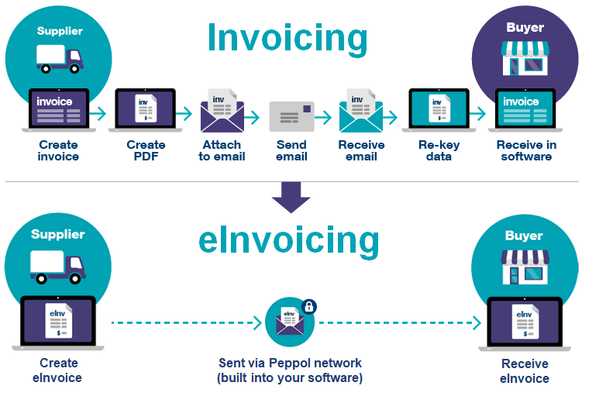
This distinction matters in 2026. The FTA's UAE e-Invoicing page states that an eInvoice is structured invoice data issued, exchanged, and reported electronically to the FTA. PDF, Word, image, scanned, and emailed invoices are not considered eInvoices under that framework.
So a well-designed Xero PDF can support today's tax-invoice documentation, but changing the Xero branding theme does not, by itself, make the document compliant with the UAE eInvoicing system. See Does Xero Support UAE eInvoicing? for the current status and timeline.
Run your invoices through Maaliya's VAT Invoice Checker for a second review of the required tax-invoice details.
Upload and Check NowA Practical Template Review Before You Send Invoices
Frequently Asked Questions
Yes. UAE businesses can customise Xero invoices using branding themes and custom DOCX templates. VAT-registered businesses should check that the resulting customer-facing invoice still contains every particular required for the applicable UAE tax-invoice type.
Yes. For a tax invoice issued by a UAE VAT registrant, the supplier's name, address and TRN are required particulars. Do not assume the TRN is visible just because it is stored in Xero.
Yes. Payment instructions are a useful addition to the invoice, provided they don't replace or obscure the required tax-invoice information.
No. Under the UAE eInvoicing framework, an eInvoice is structured invoice data exchanged electronically through the approved system. A PDF or ordinary emailed invoice is not, by itself, the future UAE eInvoice format.
Not necessarily. Different customer groups or transaction types may justify different branding themes, but each theme should be tested against the invoice requirements that apply to the underlying transaction.
Check the Invoice, Not Just the Template
A compliant template reduces errors, but the final invoice still depends on correct customer data, dates, descriptions, tax rates, and transaction values. Before relying on a new Xero theme, generate a real test invoice and review the final output.
Related Maaliya Guides
Sources
Federal Tax Authority: Executive Regulation of Federal Decree-Law No. 8 of 2017 on VAT, Article 59 (consulted 5 September 2026).
Federal Tax Authority: Tax Invoices guidance and VATP040 Amendments to the VAT Executive Regulation (consulted 5 September 2026).
Federal Tax Authority: UAE e-Invoicing, page updated 31 August 2026 (consulted 5 September 2026).
Xero Central: Invoice like a pro (consulted 5 September 2026).
Like what you read? Add Maaliya as a preferred source on Google.
Built for the UAE.