Xero Recurring Invoices UAE: Setup, VAT & Automation (2026)
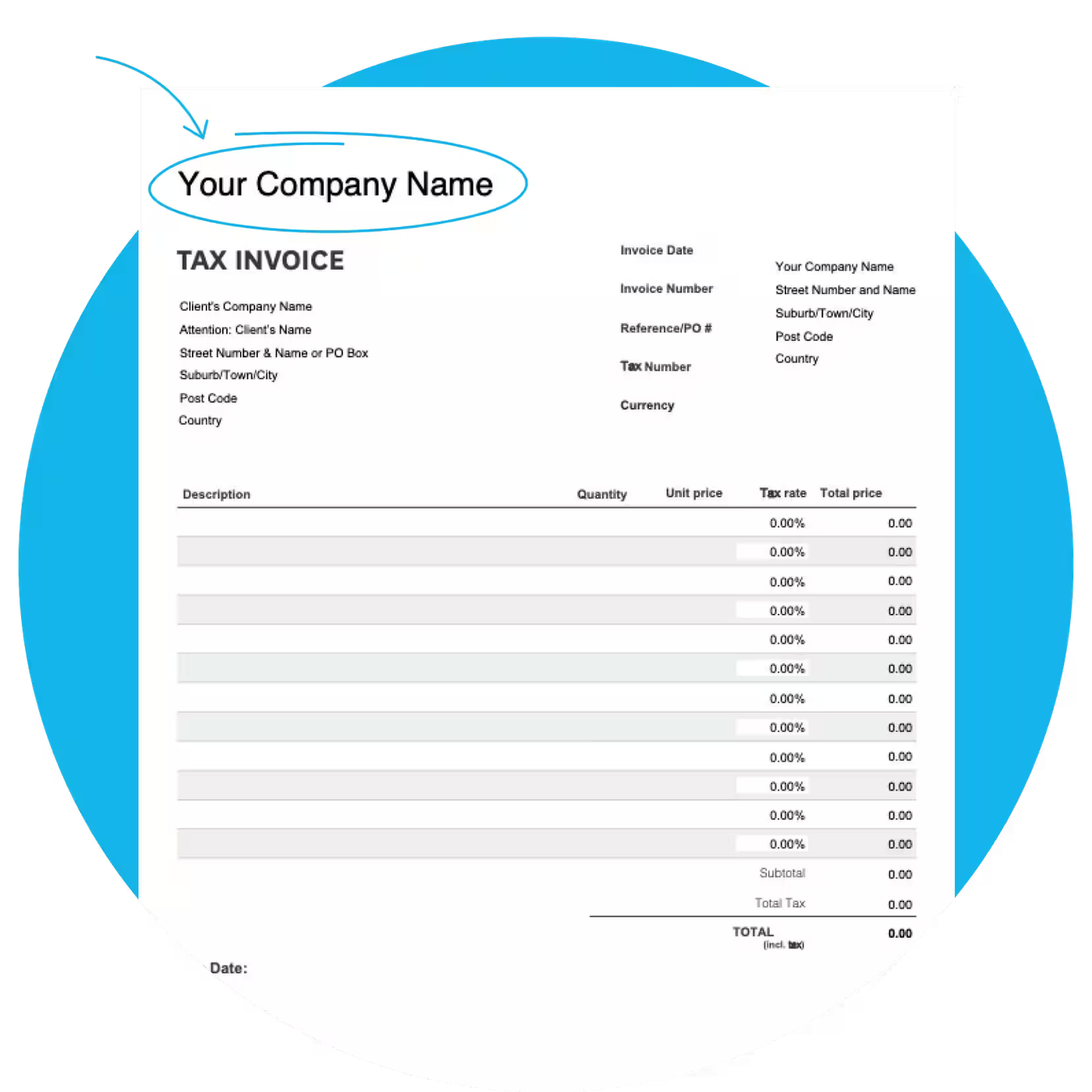
- Xero repeating invoice templates can generate recurring invoices and either save them as drafts, approve them, or approve them for automatic sending.
- Use automatic approval and sending only when the amount, customer and tax treatment are genuinely predictable. Use drafts when anything may need review.
- For UAE VAT purposes, a tax invoice generally must be issued within 14 calendar days of the date of supply, and a repeating schedule does not override that rule.
- Xero notes that attachments on a repeating template are not automatically copied to each generated invoice, and that a later change to an inventory item's selling price does not automatically update the template.
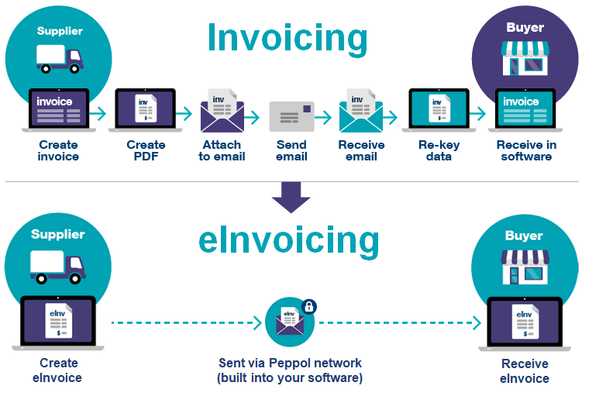
- A PDF or emailed invoice is not, by itself, a UAE eInvoice under the coming structured eInvoicing framework.
Overview
Xero recurring invoices are set up through repeating invoice templates. They are useful for predictable UAE billing such as monthly retainers, subscriptions and maintenance fees, because Xero can create the invoice automatically and, if you choose, approve and email it too. The control point is the template: if the price, customer details or VAT treatment is wrong, the same mistake can repeat every billing cycle.
In this guide:
- What Are Xero Recurring Invoices?
- When Should a UAE Business Use Repeating Invoices?
- How to Set Up a Repeating Invoice in Xero
- Which Repeating Invoice Status Should You Choose?
- How Should UAE VAT Be Handled on Recurring Invoices?
- Make Sure the Recurring Invoice Itself Is UAE-Compliant
- Controls That Prevent Recurring Billing Errors
- How to Automate Reminders for Unpaid Recurring Invoices
- How Recurring Invoices Fit into UAE eInvoicing
- Common Xero Recurring Invoice Mistakes
- A Practical Monthly Control Checklist
- Frequently Asked Questions
- Sources
What Are Xero Recurring Invoices?
In Xero, recurring invoices are called repeating invoice templates. According to Xero's repeating invoice guidance, the template stores the billing frequency, invoice date, due date, customer, line items and the action Xero should take when each invoice is generated.
The feature works best when the commercial arrangement is repetitive and predictable by design: the same customer, the same charge, the same tax logic and a known billing cadence. It is not a substitute for reviewing variable projects, usage-based billing or contracts where the scope changes month to month.
Book a free consultation with Maaliya to make sure your UAE VAT treatment and invoicing controls are set up correctly before you automate.
Book a free consultation today!When Should a UAE Business Use Repeating Invoices?
Good use cases include monthly professional retainers, fixed support packages, software or service subscriptions, maintenance contracts, recurring licence fees and other agreed fixed-period charges. The key test is whether the invoice can be generated from the contract without someone re-deciding the amount or tax treatment every month.
Avoid full automation where billing depends on hours worked, milestones achieved, changing quantities, customer acceptance, a changing VAT status or a new statement of work. In those cases, a draft repeating invoice can still save setup time while keeping a human review step.
How to Set Up a Repeating Invoice in Xero
Two small Xero behaviours matter in practice. Xero says a template set for the 31st generates on the last day of shorter months. It also advises using a future invoice date for the first invoice when you expect Approve for Sending to email it automatically, since an initial invoice dated today or earlier may be approved without being automatically sent.
Which Repeating Invoice Status Should You Choose?
Save as Draft
Use Save as Draft when the invoice needs a monthly check. This is usually the best control for variable quantities, changing contract values, tracked inventory or any arrangement where the final amount or VAT coding may change.
Approve
Approve creates an authorised invoice ready for collection, but it still needs to be sent. This works when the accounting treatment is stable but the finance team wants control over the customer communication.
Approve for Sending
Approve for Sending is the most automated option: Xero creates, approves and emails the invoice on the creation date. Use it for genuinely fixed recurring charges, and pair it with periodic template reviews so stale prices or old customer details do not run indefinitely.
How Should UAE VAT Be Handled on Recurring Invoices?
A recurring schedule is an accounting automation, not a VAT rule. The Federal Tax Authority's tax invoice guidance states that a tax invoice must generally be issued and delivered within 14 calendar days from the date of each taxable supply. The correct date of supply and tax treatment therefore need to be considered when the template is designed.
Do not assume every recurring UAE invoice should use 5% VAT. The right treatment depends on the supply. Review Maaliya's guide to Xero UAE tax rates and the Xero UAE VAT setup guide if you are unsure how the Xero tax codes map to your transactions.
Example: AED 10,000 Monthly Consultancy Retainer
Assume a UAE VAT-registered consultancy provides a standard-rated monthly service for AED 10,000 excluding VAT. At 5%, VAT is AED 500 and the gross invoice is AED 10,500. A repeating template can create that invoice each month, but the business should still review the template when the scope, price, customer VAT status or contract terms change. This is an illustrative accounting example, not a determination of the VAT treatment for a particular contract.
Make Sure the Recurring Invoice Itself Is UAE-Compliant
Automation only works safely if the underlying invoice contains the information it should. Use Maaliya's UAE-compliant Xero invoice guide and the Xero invoice template guide for the UAE to check the customer details, tax information and invoice layout before turning on recurring billing.
Controls That Prevent Recurring Billing Errors
- Give every repeating template an owner and review active templates periodically against live contracts.
- Use end dates where the agreement has a fixed term, rather than relying on someone to remember to stop billing.
- Use draft generation for variable charges or uncertain tax treatment, and only fully automate genuinely fixed invoices.
- Reconcile the list of active repeating templates against your active customer contracts so cancelled or amended agreements are caught.
- When a recurring amount or VAT treatment changes, update the repeating template itself. Fixing only one generated invoice leaves the future error in place.
Watch These Xero-Specific Limitations
Xero's documentation notes that attachments added to a repeating template are not automatically attached to each generated invoice. It also says changes to an inventory item's selling price do not automatically flow through to future invoices from the repeating template. If you invoice tracked inventory, Xero recommends saving repeating invoices as drafts.
How to Automate Reminders for Unpaid Recurring Invoices
After automating invoice creation, you can also automate collections follow-up. Xero's invoice reminder guidance allows reminders before, on or after the due date and lets you control them for the organisation, a customer or a specific invoice. Xero says reminders are sent daily between 4am and 8am based on the organisation's timezone, so check your UAE organisation settings before relying on the timing.
Automation should reduce chasing, not annoy good customers. Start with a sensible cadence, exclude disputed invoices where appropriate, and make sure the reminder wording explains what the customer should do if they have already paid.
How Recurring Invoices Fit into UAE eInvoicing
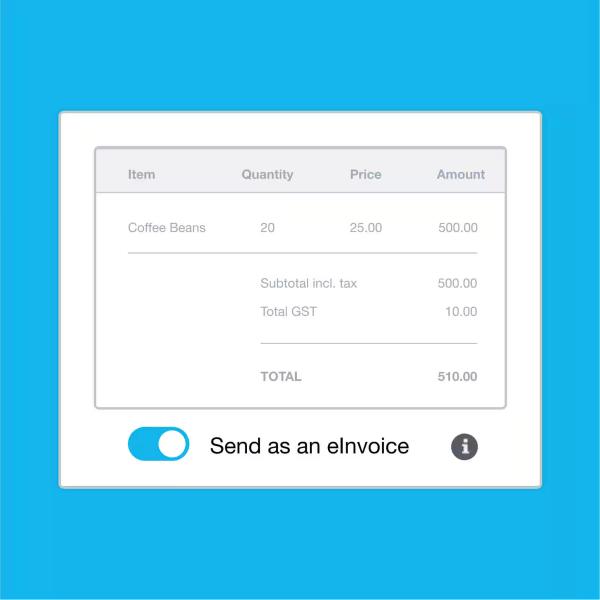
Do not confuse Xero's repeating invoices with UAE eInvoicing compliance. The Federal Tax Authority's eInvoicing guidance says an eInvoice is structured invoice data exchanged electronically; PDFs, Word files, images, scans and ordinary emailed invoices are not eInvoices. Xero's UAE page currently says its UAE eInvoicing capability is coming soon. For the current rollout status, see Maaliya's Xero UAE eInvoicing guide.
Common Xero Recurring Invoice Mistakes
- Using the wrong VAT code once and then repeating the error every month.
- Starting the schedule on the wrong invoice date, or assuming the schedule determines the UAE VAT date of supply.
- Using Approve for Sending before the customer, price and contract terms have been fully signed off.
- Leaving an old price or service description in the template after a contract renewal.
- Forgetting to stop a repeating template after cancellation or the end of a fixed-term contract.
- Assuming attachments will automatically appear on every generated invoice.
A Practical Monthly Control Checklist
Frequently Asked Questions
Yes. A repeating template set to Approve for Sending can create, approve and email the invoice automatically on the creation date. Use it only where the recurring billing data is stable.
Yes. Save as Draft is useful when the amount, quantities, VAT treatment or supporting evidence needs review before the invoice is approved.
No. Xero automates invoice creation, but the business remains responsible for using the correct VAT treatment, date of supply and required tax-invoice information.
No. Xero's current guidance says attachments on a repeating template are not automatically included on each invoice created from that template.
Xero generates the invoice on the last day of months that do not have 31 days.
No. Under the UAE eInvoicing framework, an eInvoice is structured invoice data exchanged electronically through the approved system. A PDF or ordinary emailed invoice is not, by itself, the future UAE eInvoice format.
If you are about to turn a customer invoice into a repeating template, validate a sample first. A one-off invoice error is annoying, but a recurring template can reproduce it every month.
VAT Invoice CheckerRelated Maaliya Content
Sources
- Xero Central: Add or edit a repeating invoice template. Accessed 6 September 2026.
- Xero Central: Turn invoice reminders on or off. Accessed 6 September 2026.
- UAE Federal Tax Authority: Tax Invoices. 2023 knowledge document. Accessed 6 September 2026.
- UAE Federal Tax Authority: UAE eInvoicing. Accessed 6 September 2026.
- Xero: UAE accounting and eInvoicing information. Accessed 6 September 2026.
Like what you read? Add Maaliya as a preferred source on Google.
Built for the UAE.